Speak or tap.
Choose a pitch and location from a game-ready control surface, with voice and touch workflows designed for speed.
CoachHQ CatcherCom
CoachHQ CatcherCom gives a coach a fast, focused way to speak or tap pitch and location calls that reach the catcher’s selected earpiece—without relying on hand signs.
The live-call path comes first
Everything in CatcherCom is organized around the moment a call needs to reach the player. Pitch selection, location, audio routing, and the active game stay close at hand so the coach can communicate quickly and the catcher can stay focused on the next pitch.
Choose a pitch and location from a game-ready control surface, with voice and touch workflows designed for speed.
The selected catcher earpiece is the destination. The app keeps live audio delivery ahead of history, analytics, and sync work.
Pregame setup makes sure the team, pitcher, catcher, and audio path are ready before live calls begin.
 Click to enlarge
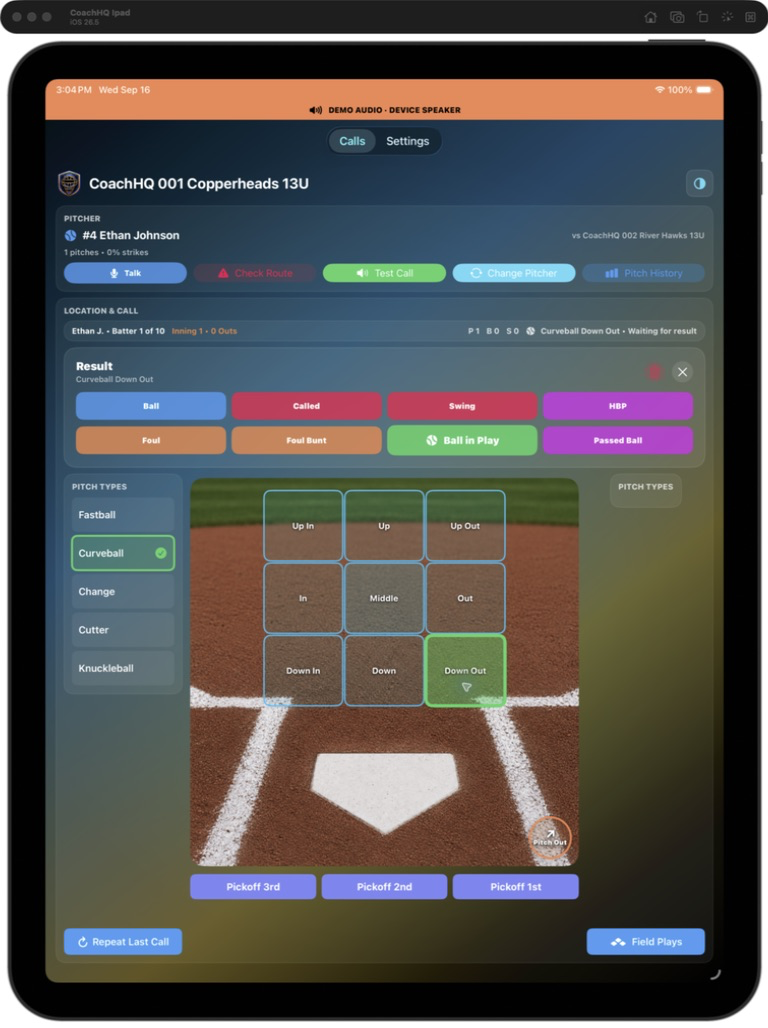
01 / Live pitch call
Choose the pitch type, tap the exact location, and send the call immediately. The live screen keeps the current batter, pitcher, opponent, count, last call, and nine-zone location grid together so the coach can communicate decisively without leaving the game.
 Click to enlarge
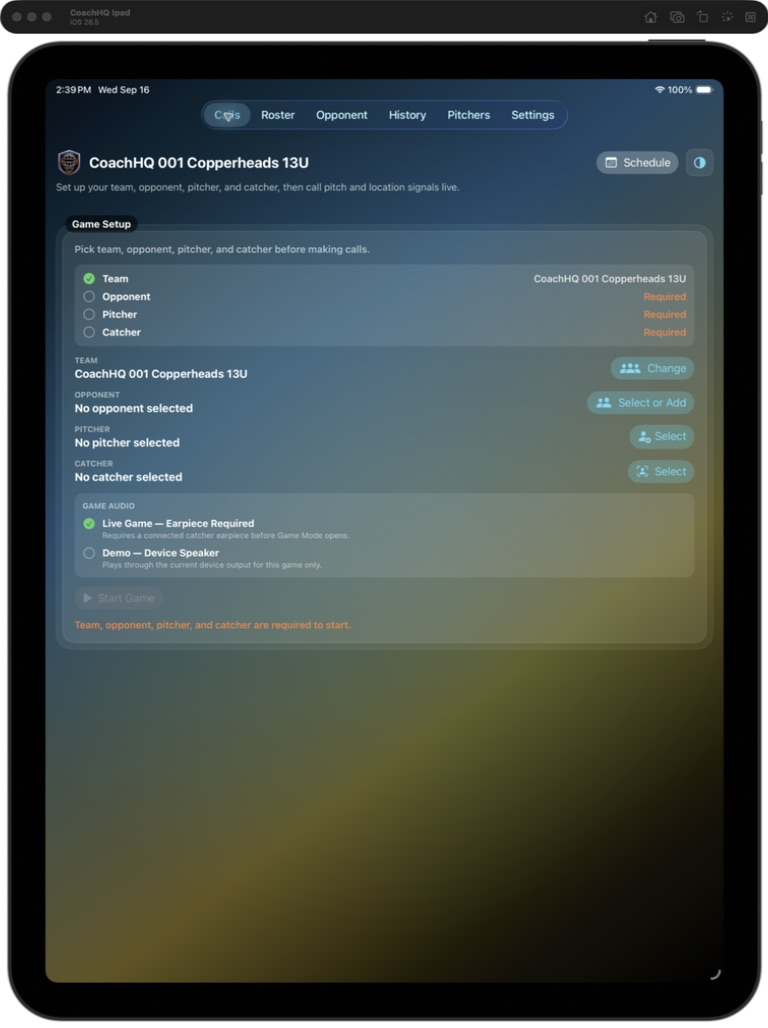
02 / Calls setup
Set the team, opponent, pitcher, and catcher in one place, then confirm the live-game audio path before opening Game Mode. The setup is built around a simple promise: the catcher should hear the call when it matters.
 Click to enlarge
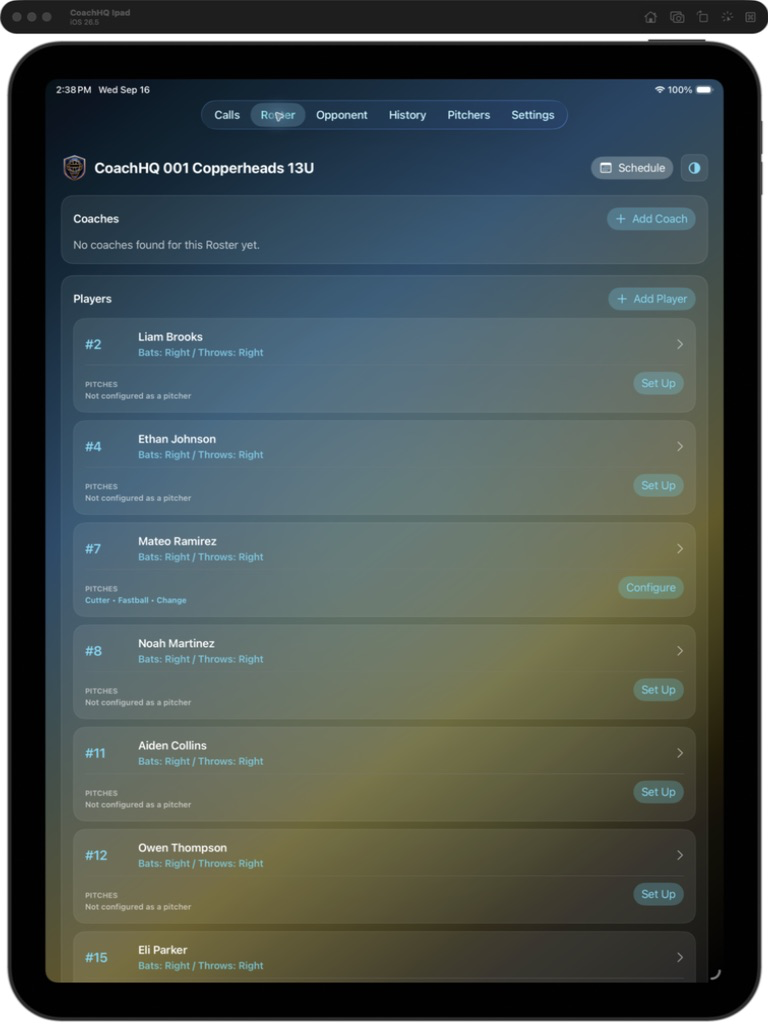
03 / Roster
Manage coaches and players from the team roster, including the catcher who receives the communication. Cached roster access keeps the team available on the device even when the field connection is unreliable.
 Click to enlarge
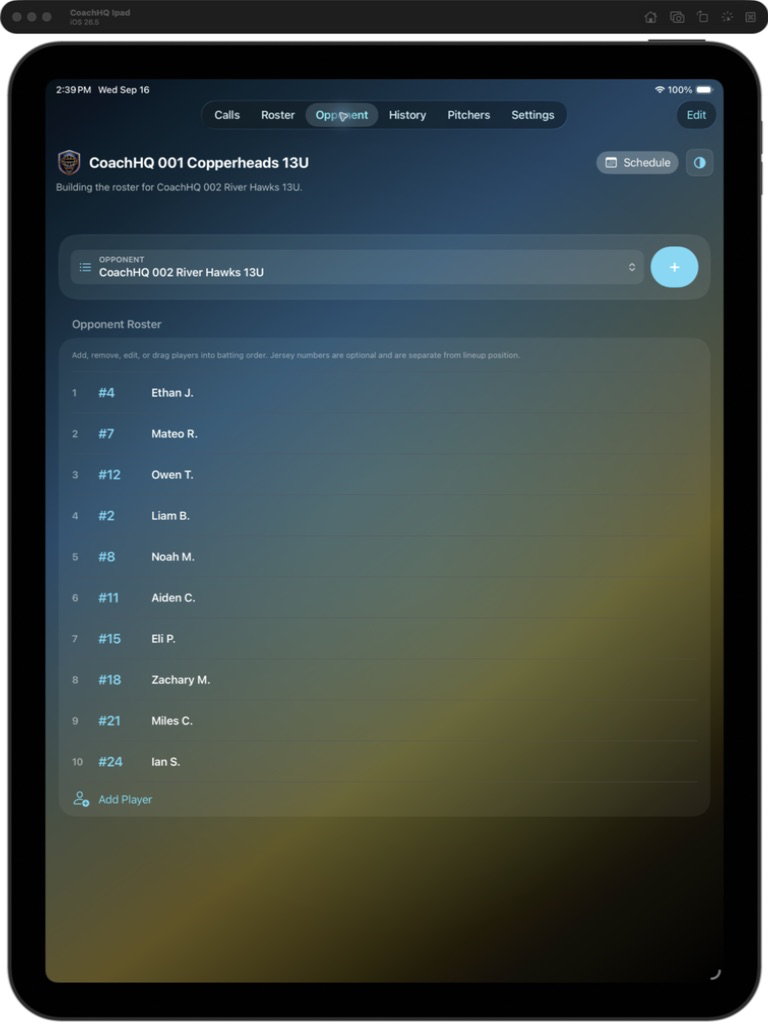
04 / Opponent roster
Build the opponent roster and batting order before first pitch, with jersey numbers and player names visible at a glance. That shared context helps the coach make the right call for the hitter at the plate.
 Click to enlarge
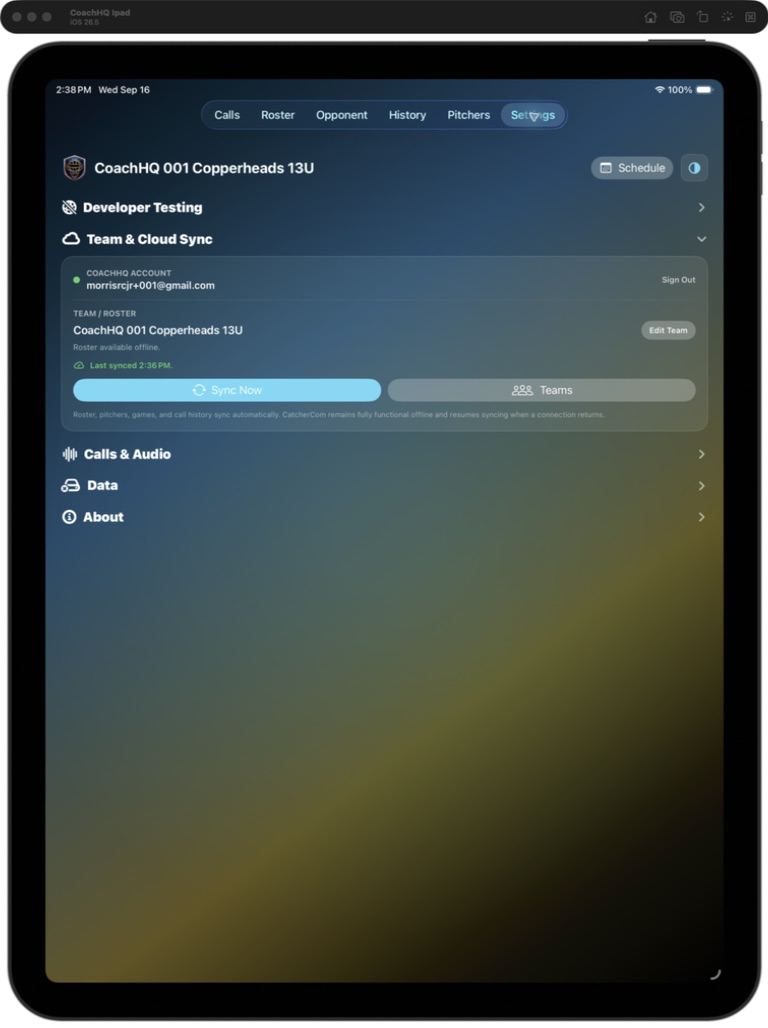
05 / Team and Cloud Sync
CatcherCom remains fully functional offline. Roster, pitchers, games, and call history stay available locally; when connectivity returns, authorized team data can resume syncing without interrupting the live-call workflow.
Communication that respects the moment
CatcherCom keeps sync, history, exports, and other background work away from the active game’s communication path. The coach can call a pitch and location through the selected earpiece, while the app keeps the supporting team context ready before the game and available for review afterward.
Confirm the team, pitcher, catcher, opponent, pitch set, and audio route.
Keep the live call local, bounded, and focused on reliable earpiece delivery.
Return to history, review, exports, and team synchronization without competing with the hot path.
Give the catcher the next pitch
CoachHQ CatcherCom gives baseball and softball staffs a dedicated communication lane from the dugout to the catcher.
Ask about CoachHQ CatcherCom