Know the fit.
See the best-rated options for a position instead of relying on memory or a paper depth chart.
CoachHQ Lineup Changer
CoachHQ Lineup Changer gives coaches a clear way to build lineups, assign positions, manage their roster, and keep the game plan ready when the pace picks up.

From roster to game plan
Move from player availability to a ready-to-share lineup without losing the context behind each choice. Lineup Changer keeps the roster, positions, and plan together across the sports your team plays.
 Click to enlarge
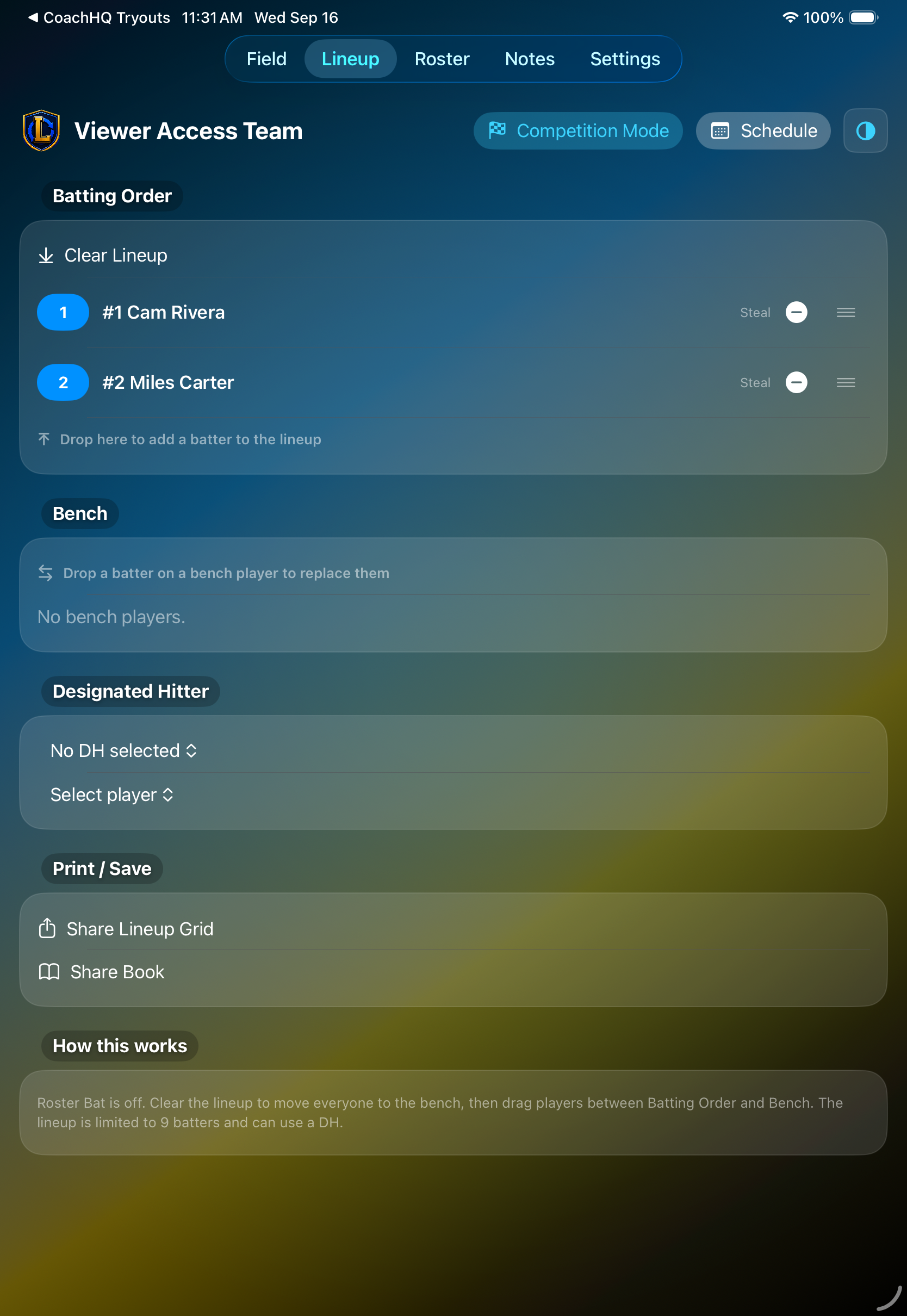
01 / Lineup
Arrange the starting order, bench, and designated hitter from one focused view. When the game changes, player ratings help you choose the strongest available replacement and make the adjustment quickly.
 Click to enlarge
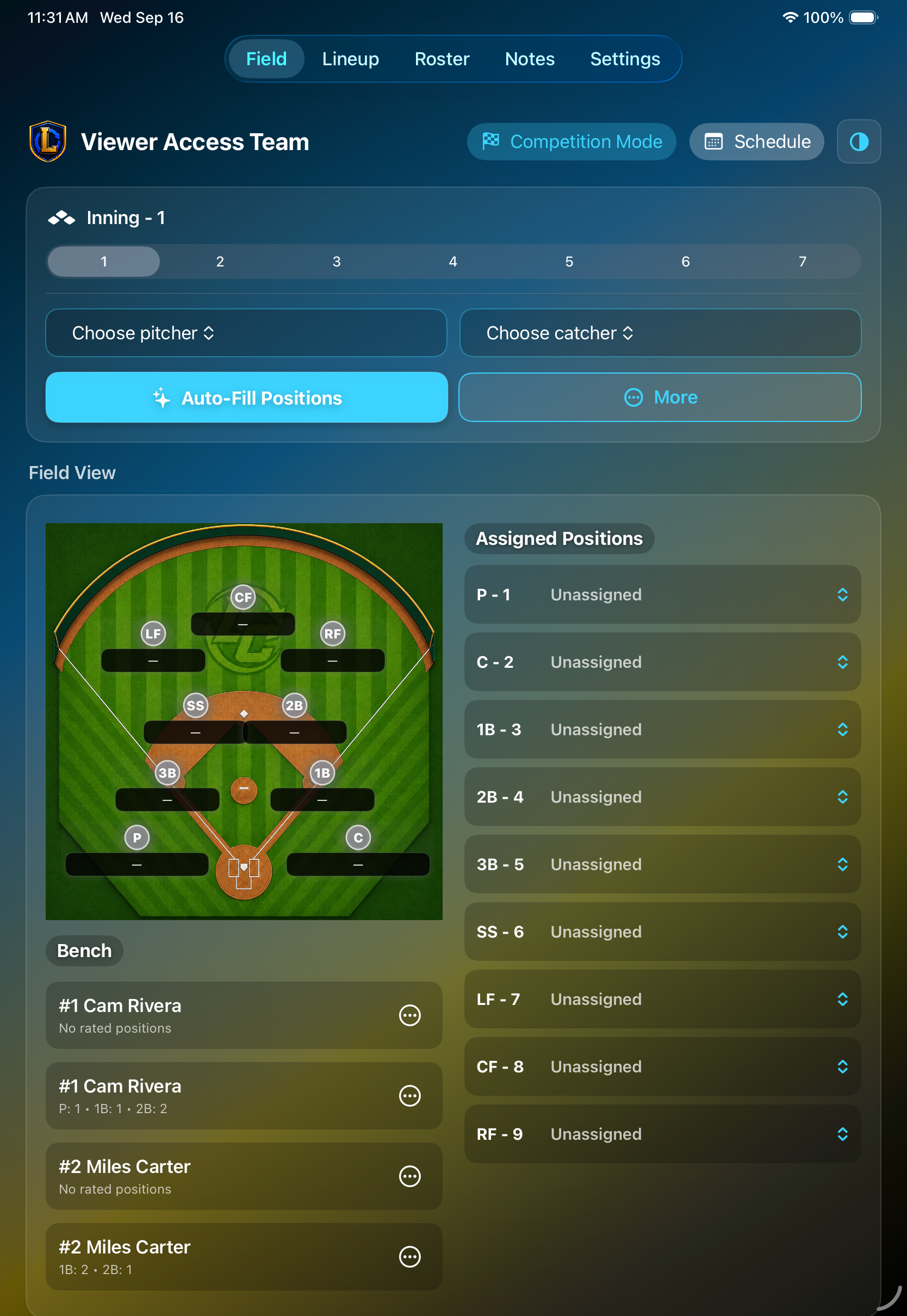
02 / Field and court
Set the pitcher and catcher, fill positions automatically using the best available ratings, and review each assignment on the field view. Sport-specific controls adapt the workspace for baseball/softball, basketball, and volleyball.
 Click to enlarge
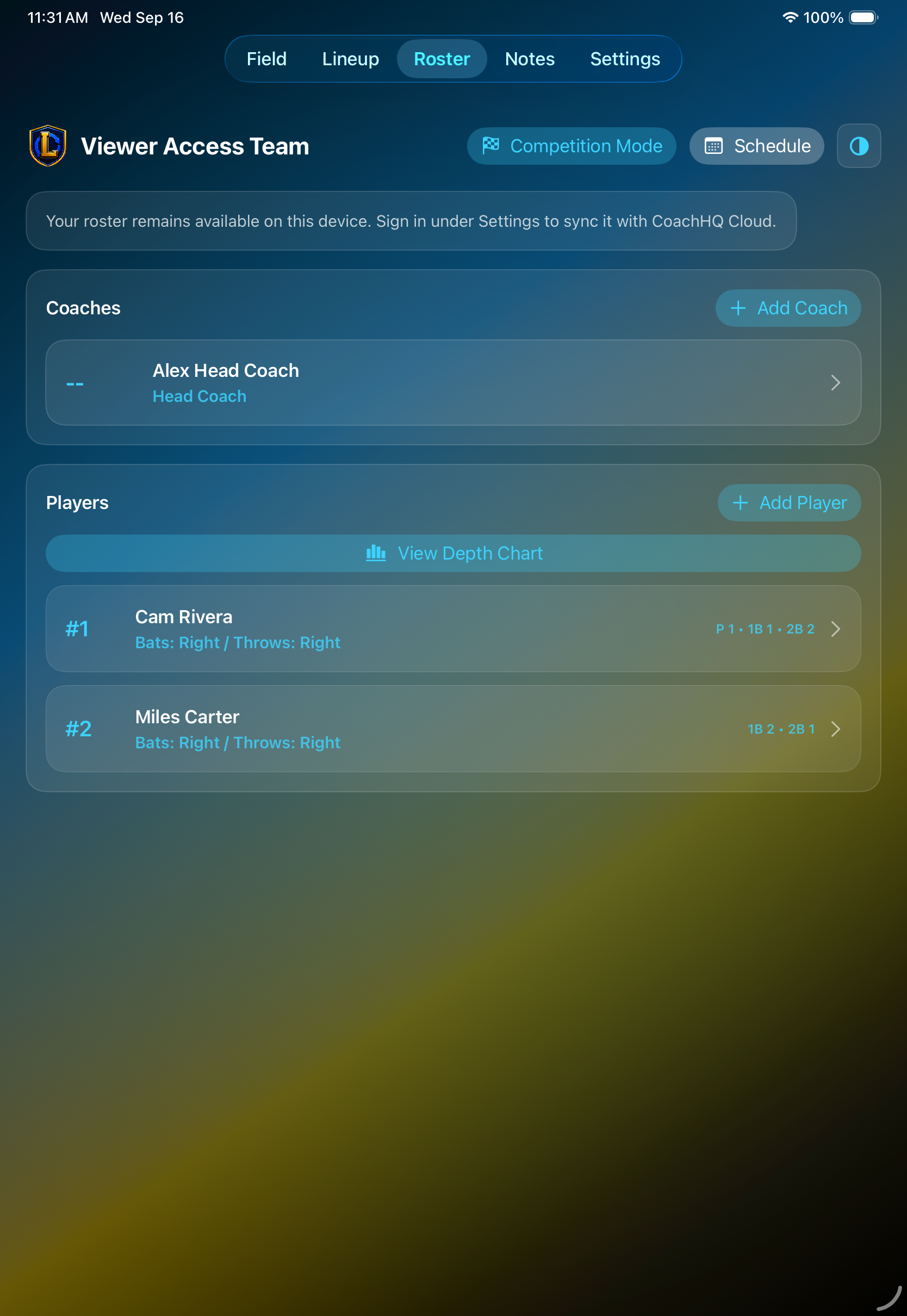
03 / Roster
Manage coaches and players in one roster, then open the depth chart to understand your options. Position ratings and speed ratings show where each player can help, making the roster useful before the game and during a substitution.
 Click to enlarge
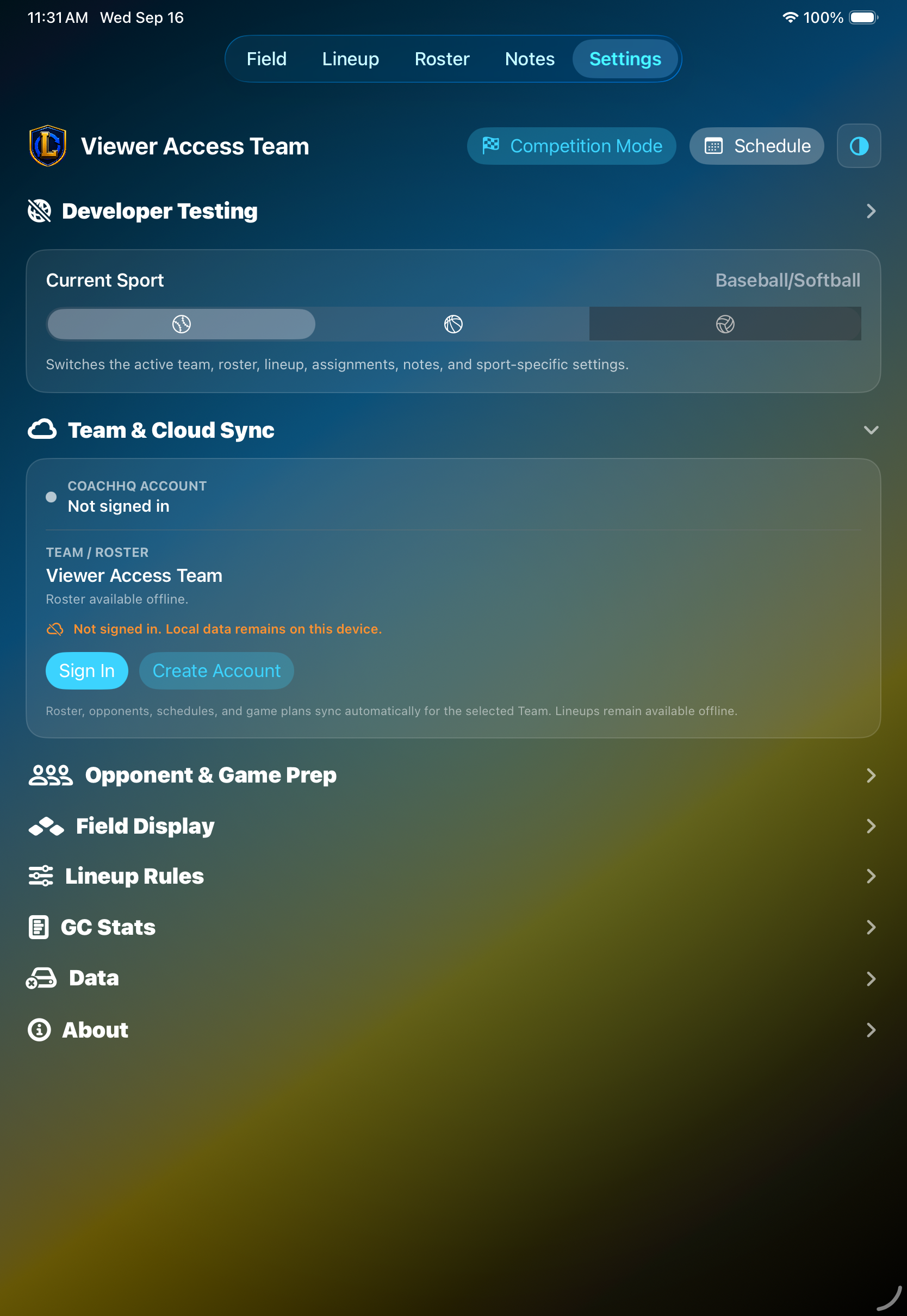
04 / Settings
Switch sports, manage Team & Cloud Sync, prepare for opponents, tune lineup rules, and keep team data under control from a single settings area.
Connected when you need it. Ready when you do not.
Lineup Changer uses CoachHQ Team & Cloud Sync to keep a shared roster and team context connected across CoachHQ apps. Once the team is established, the cached roster and lineup remain available offline; changes sync automatically when a connection returns.
Team and roster information is tied to the active CoachHQ team, so coaches can work from the same people and sport-specific context.
After setup, cached team data keeps the lineup usable offline. Local changes wait safely and sync when the connection returns.
For scheduled games, coaches can publish the current lineup to the shared Team game plan and prepare an authenticated nearby handoff to CatcherCom.
Built for the sideline
Lineup Changer keeps player information, position assignments, and game plans close at hand—so your staff can spend less time rebuilding the plan and more time coaching.
Ask about CoachHQ Lineup Changer